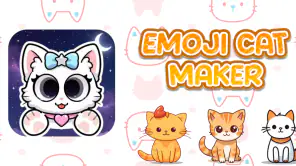
Emoji Cat Maker: Cat Stickers
4.064.00Reviews
Analysis ByAppCompare
I approached Emoji Cat Maker: Cat Stickers as a small personalization tool rather than a full creative studio. Its appeal is easy to understand: it is built around making cute cat-themed stickers that can be shared, and it keeps the idea much lighter than a general image editor. After trying it, I think the main question is not whether it can replace every sticker or design app. It cannot. The better question is whether you want a quick, playful way to turn a cat idea into something that feels more personal than a standard emoji.
The app comes from MegaMod Studio and is free to use. It sits in the personalization category, carries an Everyone content rating, and runs on Android 7.0 or later. That makes it approachable for families, casual users, and people with older compatible phones. Its current version is 1.3.0, and it has already passed one million installs, with an average score of 4.0 from around 1.6 thousand ratings. Those figures suggest a broad audience, although they do not change the basic experience: this is a focused, informal sticker maker, not a professional illustration package.
What to consider before choosing it
My first decision criterion was speed. If I have a funny reaction in mind, I do not want to build a complete composition from scratch, learn a complicated timeline, or search through a huge library before I can share it. A cat sticker maker makes sense when the intended result is small, expressive, and ready for a conversation. The app’s short description, “Emoji Cat Maker,” captures that compact purpose better than a promise of advanced design work would.
The second criterion is the kind of originality you want. There is a difference between selecting a familiar sticker and making a simple cat expression that matches a particular message. The app is most useful when the emotional detail matters: a sleepy face for a late-night chat, an exaggerated reaction for a group conversation, or a playful image that reflects an inside joke. It turns the sticker into part of the conversation instead of treating it as a decorative extra.
I also considered how much control a person reasonably expects. Someone looking for layers, detailed drawing tools, typography controls, image retouching, or a large professional export workflow should compare it with a general graphics editor. Someone who mainly wants a friendly cat character and a shareable result will probably value the narrower design more. The best reason to choose this app is not maximum control; it is low-friction personalization.
That distinction is important because the store summary can make the concept sound broader than the actual decision. “Create cute, fun, easy to share cat stickers as unique stickers” describes the goal, but it does not mean every possible sticker-making task will feel equally comfortable here. I would choose it for quick visual messages, not for building a carefully branded sticker collection or preparing artwork for print.
A practical test for your own needs
Before settling on it, I would ask myself three simple questions. Do I regularly use cat reactions in messaging? Do I prefer a guided, playful tool over a blank canvas? And am I happy with a focused result rather than a general-purpose editor? If the answer is yes to all three, the app’s limited scope becomes an advantage. If the answer is no, a broader alternative may save time even if it feels less charming.
There is also a useful distinction between making a sticker and managing stickers. A maker helps with the creative moment; a messaging app or sticker organizer may be better for arranging a large collection afterward. I would not install this expecting it to solve every part of sticker organization. I would install it because I want a dedicated place to create cat-focused reactions without navigating unrelated design tools.
Where the cat-focused approach works best
The strongest part of the experience is its clear personality. Many creative apps begin with an empty workspace, which can be intimidating when the user only wants something amusing. A cat-centered tool starts with a recognizable subject and a light mood. That focus reduces the number of decisions I need to make and makes experimentation feel less serious. I can try an idea, judge whether the expression works, and move on without treating every attempt like a finished illustration.
In everyday use, I can imagine opening it after a friend sends a message that deserves more than a text reply. Instead of searching through the same old reactions, I could make a cat sticker that matches the exact tone: mock surprise, reluctant agreement, tired amusement, or a deliberately dramatic response. The value is not artistic complexity. It is the small feeling that the reply was made for that moment.
A less obvious strength is consistency. When a person creates several reactions within the same focused app, the cat theme can give the set a shared identity. That is useful for a family chat, a close group of friends, or someone who wants a recognizable personal style without designing a complete character system. Even simple variations can feel connected when the subject remains the same.
I also found the narrow theme helpful for avoiding overthinking. With a blank editor, I often spend more time deciding what to make than actually making it. Here, the concept itself provides a starting point. My tip is to begin with the message rather than the appearance: decide whether the sticker should communicate approval, confusion, celebration, impatience, or affection, then shape the cat around that emotion. This produces more useful stickers than trying to make a merely “cute” image with no conversational purpose.
Small workflows that make it more useful
One practical workflow is to create stickers in batches when you already have a clear theme in mind. For example, I would make a small group of reactions for a recurring chat: one for agreement, one for disbelief, one for a mistake, and one for ending the conversation. This is more efficient than opening the app each time with no plan, and it gives the resulting collection a practical purpose.
Another tip is to judge the sticker at the size where it will actually be seen. Details that look charming while creating may disappear when the image is used in a fast-moving conversation. I would favor a clear silhouette, a readable expression, and a simple visual idea over tiny decorative elements. That is a general design principle, but it matters especially here because the app’s appeal depends on quick recognition.
A third useful approach is to make the wording, if you choose to include any, support the expression rather than repeat it. A cat that already looks shocked does not need a long explanation. A short phrase can add context, while no text at all may be better for a reaction that should work across different conversations. I would test both styles instead of assuming every sticker needs a caption.
The app is also a reasonable choice for users who want a friendly creative activity without a steep learning curve. A child or family member can understand the central idea quickly, although I would still supervise younger users when sharing anything online. The Everyone rating makes the app broadly suitable from a content perspective, but an age label does not replace normal guidance about communication, privacy, or where finished images are sent.
Where broader alternatives may fit better
The same focus that makes this app approachable can become a limitation. If I want stickers based on photographs, several unrelated characters, detailed lettering, or a consistent commercial identity, I would look at a general image editor or a dedicated sticker platform with a wider creative scope. Those alternatives may take longer to learn, but they can be a better fit when the subject is not always a cat or when the design needs to follow strict visual rules.
There is also a difference between a playful generator and a drawing application. A drawing app is preferable when I want to sketch a character from the ground up, control every line, or revise artwork over multiple sessions. A sticker-focused tool is preferable when the finished object matters more than the process of illustration. Neither approach is universally better; they serve different kinds of patience.
Users who mainly want ready-made reactions may not need a maker at all. A standard emoji keyboard or an existing sticker library can be faster for common situations. If I am replying during a busy workday and only need a familiar thumbs-up or laughing face, creating a custom cat would be unnecessary effort. The app earns its place when the available choices feel too generic, not when speed alone is the only goal.
People who expect a full cross-platform workflow should think about where they normally communicate before switching. This is an Android app, and its minimum operating system is Android 7.0. That is generous for compatibility, but it does not by itself guarantee that every messaging service will handle stickers in exactly the same way. I would test the sharing step with the conversations I use most, especially if my routine moves between Android and iOS devices.
Another trade-off is creative consistency versus variety. A themed cat app can help a collection feel coherent, but it may also feel repetitive after the novelty fades. If your ideal sticker pack includes food, sports, travel, pets of different kinds, and custom portraits, a wider platform is likely to keep you interested longer. I would choose this app for a strong cat identity, not as the only creative tool on my phone.
What switching really involves
Because the app is free, the financial cost of trying it is low. The more meaningful cost is attention. You need to spend time learning which kinds of expressions look clear, deciding whether a sticker is worth saving, and possibly adjusting your habits if you usually rely on instant keyboard suggestions. That effort is worthwhile when custom cat reactions are part of how you communicate, but it is not worthwhile for someone who rarely shares stickers.
Switching from a general editor may feel like giving up control. Switching from a basic sticker library may feel like adding an extra step. In my experience, the app makes sense between those two extremes: it is more personal than selecting a generic reaction, but less demanding than constructing a full illustration. Understanding that middle position prevents disappointment.
I would also avoid creating a large collection without a retrieval plan. The more stickers I make, the less useful they become if I cannot remember what each one is for. A simple habit helps: create each image around a specific conversational purpose and avoid making several nearly identical reactions. This is one of the hidden trade-offs of easy creation—when making is effortless, it becomes easy to save too much.
For families or friends sharing ideas, the app can work as a small collaborative prompt even if each person ultimately uses the result differently. One person can suggest the emotion, another can choose the look, and the finished sticker becomes an inside reference. I would not treat this as a formal collaboration suite, but the focused theme makes it easy to turn a short creative session into something social.
My recommendation after using it
I recommend Emoji Cat Maker: Cat Stickers to Android users who want a free, cheerful way to create cat-based reactions and share them in ordinary conversations. The app’s best qualities are its focused subject, approachable purpose, and ability to make a personal reply feel more deliberate than a standard emoji. Its 4.0 average from roughly 1.6 thousand ratings reflects a generally positive reception without suggesting that it will satisfy every type of creative user.
I would especially recommend it to someone who says, “I want to make stickers, but I do not want to learn a complicated editor.” The cat theme gives that person a clear starting point, and the Everyone rating makes it an easy app to consider for a broad household audience. Since it is free, trying it is a practical way to discover whether custom reactions fit your messaging habits.
I would skip it if my priority were professional artwork, detailed photo editing, a large multi-topic sticker library, or precise control over every design element. In those cases, a broader creative application will probably be a better long-term home, even if it feels less immediate. I would also skip it if I almost never use stickers; no focused maker can add much value to a communication habit that does not include visual reactions.
My final advice is to judge it by one short experiment rather than by the promise of endless creativity. Make a small set built around real messages you send, try sharing them in the conversations where you would normally use emojis, and notice whether the extra personality is worth the extra tap or two. If it is, this app has found its purpose. For casual cat lovers, the focused design is the feature—not a compromise. For everyone else, the free download makes it easy to test, but a broader alternative may remain the smarter choice.
FAQ
What is Emoji Cat Maker: Cat Stickers?
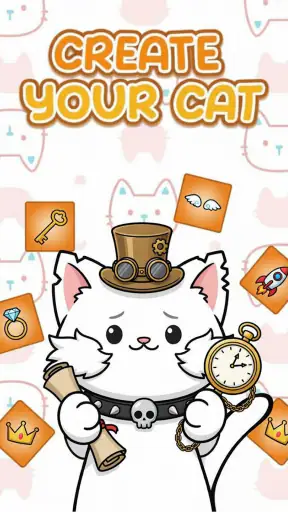
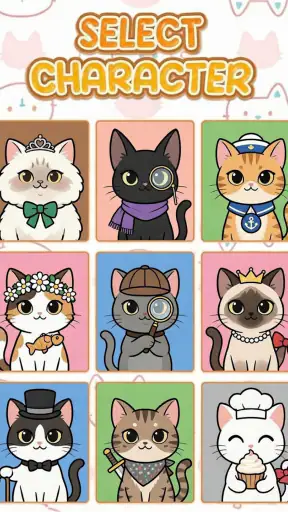
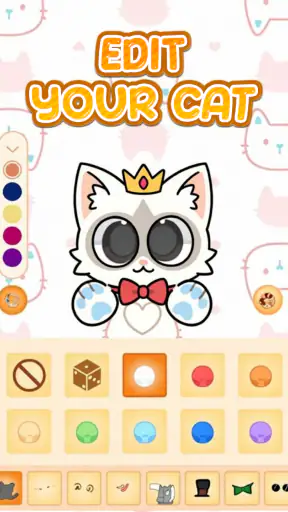
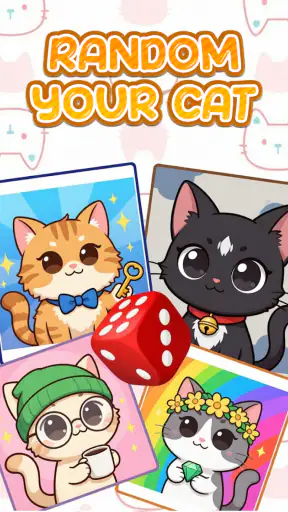
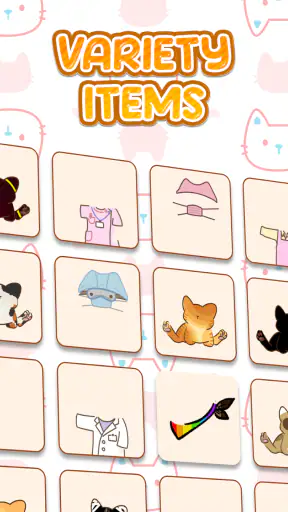
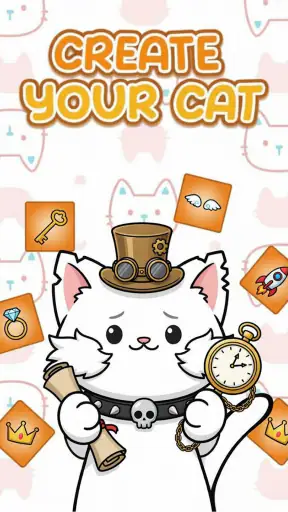
Emoji Cat Maker: Cat Stickers is a creative app for designing personalized cat-themed stickers and emoji-style images. It lets you combine different cat faces, expressions, accessories, colors, and decorative elements to create playful characters. The finished designs can generally be saved as images and shared in messaging apps or on social networks, depending on your device and the sharing options available.
Is Emoji Cat Maker: Cat Stickers free to download and use?
The app can typically be downloaded at no initial cost, but some features, sticker elements, or design packs may be restricted behind advertising, in-app purchases, or a premium option. Before creating a large sticker collection, check the store listing and the in-app purchase screen carefully. Availability of paid content can vary between the Android and iOS versions.
Can I use the stickers in WhatsApp, Messenger, or other chat apps?
You can usually save your completed cat designs to your device and share them through compatible messaging or social applications. However, the exact process may differ by platform. Some apps support direct sticker-pack integration, while others require you to send the design as an image. If a direct export option is unavailable, using the standard share or save function is the most practical alternative.
Does Emoji Cat Maker: Cat Stickers require an internet connection?
An internet connection may be needed for the initial download, advertising, premium content, cloud-related features, or sharing designs through online services. Basic sticker creation may work offline if the necessary design elements are already installed on your device. Because functionality can change after updates, users who want to create stickers without mobile data should test the editor in airplane mode first.
Is Emoji Cat Maker: Cat Stickers suitable for children?
The app is generally easy to understand because it focuses on visual customization rather than complicated controls, making it appealing to younger users and families. Nevertheless, parents should review the app’s age rating, advertising, in-app purchases, and privacy permissions before installation. If children use the sharing features, adult supervision is recommended to prevent accidental purchases or unintended publication of created images.
Pros
- Large emoji and sticker library for creative cat designs.
- Simple editor suitable for beginners and casual users.
- Useful for personalizing chats and social media messages.
- Quickly combines facial features
- colors
- and accessories.
- Lighthearted content appeals to cat lovers of all ages.
Cons
- Some designs or features may require in-app purchases.
- Ad interruptions can affect the editing and browsing experience.
- Sticker quality may vary between different cat elements.
- Export options may be limited compared with full design apps.
- Privacy details should be checked before granting media permissions.